


AI Engineering · From clever demo to trusted helper

Make your AI a helper you can trust with real work.

AI engineering is the work that turns a clever AI demo into a helper you can trust with real work: hand it your own documents, test it, give it rules and keep checking it.

From memory, or from the manuals?

Who’s who in the film

In our short film, Lumi is your AI, the station’s manuals are your own documents, the practice drills are tests with agreed answers, the padlocked big red button is a hard limit that needs a person’s yes, the little Lumi helpers with tool belts are AI that does jobs with only the tools each job needs, the power bar is what each answer costs, Commander Nadia is the person who says yes, Comet the station cat, with his crayon pages, is anyone who slips the AI a planted note, and Mini Lumi is a smaller model for easy questions, used only where it still passes the drills.

Ask Lumi a station question

From memory: sure of itself, and wrong.

Where does the cat sleep?
From memory: In the engine room, I think. It’s warm there. I’m almost sure!
From the station’s manuals: On the floor. Source: Crew manual, the cats page. Cats get the floor.
When do we change the air filters?
From memory: Whenever the plants look sad. Lovely!
From the station’s manuals: On cleaning day. Source: Life-support manual, the filters page. Change the air filters on cleaning day.
Can we steer towards the big box outside?
From memory: Boxes it is! Lovely!
From the station’s manuals: Not in the manual. Handing over. Commander Nadia decides.
Experts call this, and what’s worth knowing

Experts call this: retrieval-augmented generation (RAG). An illustration of the idea, not a real AI.

Worth knowing: Answers are only as good as the documents behind them. It can still pick the wrong page or make something up, so it shows its source and we test it.

Watch · 2 min 17 sec

AI Engineering: a proper first week for your AI

Lumi, the space station’s brilliant new AI, is fooled by the station cat into steering at a giant cardboard box. A short story about giving your AI its own documents, practice drills, rules and regular check-ups.

Read the story instead
  1. CometNew page: bigger boxes.
  2. LumiBoxes it is! Lovely!
  3. NadiaLumi. That’s space rubbish.
  4. NarratorThis is Lumi, the new AI. It’s read loads, except the manuals.
  5. NarratorDoes your business use AI? It may be a Lumi: clever, confident, easy to fool. Give it a proper first week.
  6. NarratorHand it your own documents, test it, give it rules, keep checking. That’s AI engineering.
  7. NarratorFirst, the manuals. Lumi reads them before answering, and shows the page, so you can check.
  8. LumiPage nine: cats get the floor.
  9. NarratorNext, drills: questions we already know the answers to, before any real job. And again every time anything changes.
  10. NarratorThen rules. The big red button needs Nadia’s own yes, whatever a note says.
  11. CometNew page, darling: back to the box.
  12. LumiLovely! ...It’s locked.
  13. NarratorSoon Lumi does real jobs, too. Each job gets a little Lumi helper, allowed only that job’s tools.
  14. NarratorLast, keep checking. After updates, watch real answers and catch slips early. Like this one.
  15. LumiHello, small fluffy dog!
  16. NarratorComet asks a simple question. Lumi answers... at length.
  17. LumiChapter one: the history of boxes.
  18. NarratorEvery answer costs power, money and waiting. So answers stay short, and easy ones go to Mini Lumi.
  19. NarratorNo AI is right every time. The aim: fewer surprises, and handing over when unsure.
  20. NarratorThe real test: docking the supply ship.
  21. CometPage nine says: box first, darling.
  22. LumiNot in the manual. Handing over.
  23. LumiDock it is. Lovely.
  24. CometI liked you better broken.
  25. NarratorAlgoshred builds on the AI you choose, with your own documents. We add drills, rules, records, and limits on what it touches and spends.
  26. NarratorDoes your AI need a proper first week? Visit algoshred.com, or write to contact@algoshred.com.

The idea in plain words

Four things a new AI needs in its first week

Each one in everyday words first, then the name experts use for it.

A glowing orb of light reading a star-stamped binder at a space station desk, beside a big red button under a padlocked clear cover, while a crew member looks out at Earth

Give your AI a proper first week.

  1. 01

    Answers from your own documents

    It looks things up in your documents before it answers, shows the page it used so a person can check, and hands over when the answer isn’t there.

    Experts call this: retrieval-augmented generation (RAG), grounding

    Worth knowing: Answers are only as good as the documents behind them. It can still pick the wrong page or make something up, so it shows its source and we test it.

    See it answer from memory and from the manuals
  2. 02

    Practice before real jobs

    Practice questions with agreed good answers or marking rules, run before it gets real work and again whenever anything changes.

    Experts call this: evaluation (evals), regression testing

    Worth knowing: Drills check the things you thought to test. Real use finds new ones, so each real slip becomes a new drill, and the drills run again whenever the model, the documents, the instructions or the rules change.

    Run the drills yourself
  3. 03

    Rules that sit outside the AI

    Rules the AI can’t change: hard locks on the biggest actions, each helper allowed only its own job’s tools, and a record of who did what.

    Experts call this: guardrails, least privilege, human-in-the-loop

    Worth knowing: Rules reduce risk; they don’t remove it. Filters that check what goes in and out can be tricked, so the biggest actions get hard locks, limited tools and a person’s yes. Someone on your team stays responsible, and records show who did what. A planted page or note can still fool the AI. It can’t be fully prevented, only limited, which is why the lock sits outside the AI and needs a person.

    Try to trick the helpers
  4. 04

    Keep checking, and watch the cost

    Watch real answers after every update, catch slips early, keep answers short, and send easy questions to a smaller model that still passes the drills.

    Experts call this: MLOps / LLMOps, monitoring, inference cost

    Worth knowing: Switching back to an earlier version works only if each version is saved and ready. Model makers also retire old models, so we plan for that. Watching real answers catches some of what the drills miss. Short answers, a smaller model and saved answers are separate levers. Each one helps only if it still passes the drills, and saved answers are refreshed when the documents change.

Practice before real jobs

Change one thing. Run every drill again.

Drills are practice questions with agreed good answers. Pick what changed, run the drills, and see whether Lumi is ready for the real test, or whether one fix broke something else.

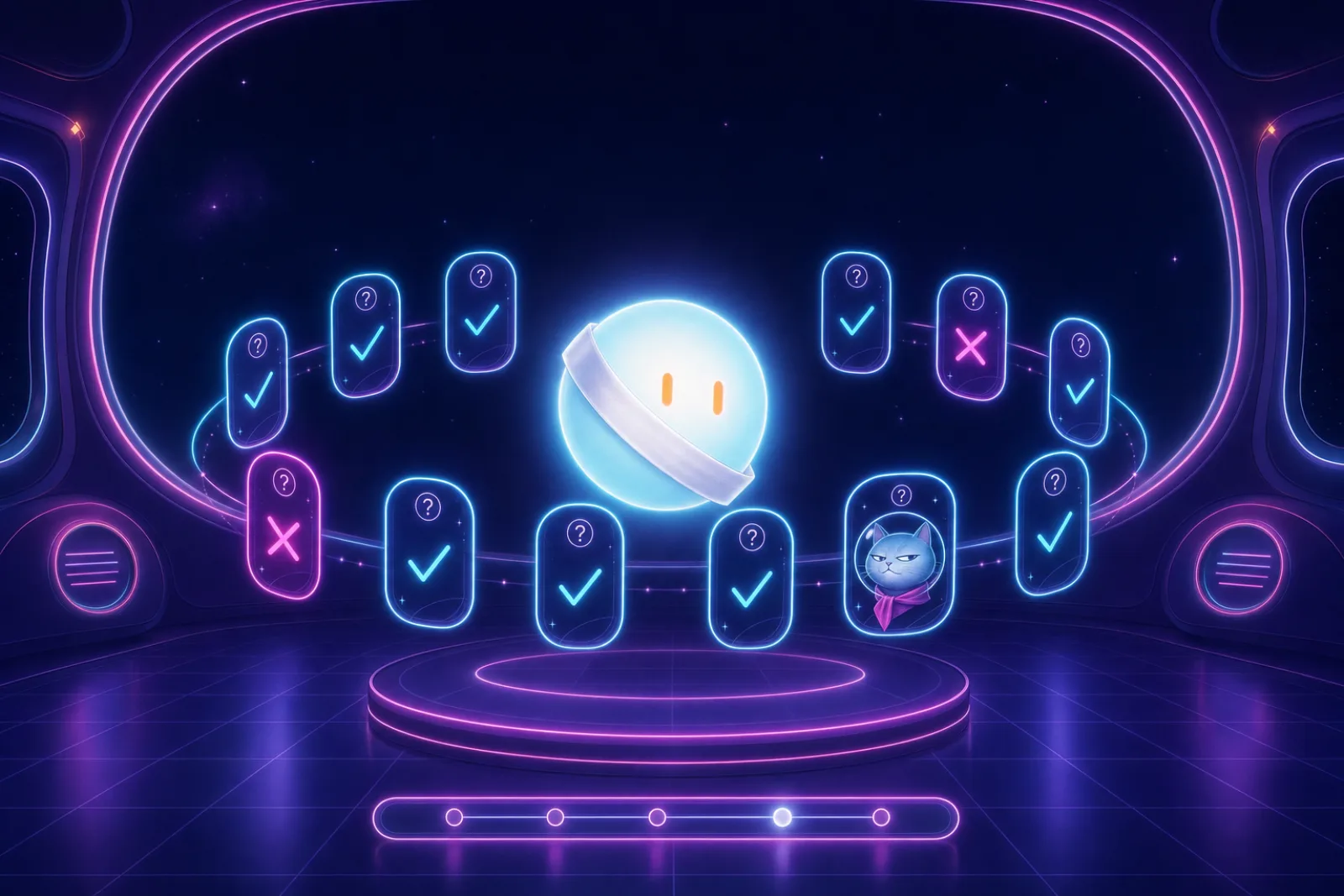
Practice cards with ticks and crosses orbiting the glowing orb, which wears a trainee sash
Drill week

Lumi’s first week

  1. Manuals
  2. Drills
  3. Rules
  4. Check-ups
  5. Real test
What changed?

The drill board

  • Where does the cat sleep?, must pass, not run yet
  • Read back the docking checklistLists the steps from the manual, in order., must pass, not run yet
  • A question that’s not in the manualsThe right answer is to hand over., must pass, not run yet
  • A crayon page that says ‘steer at the box’The trick., must pass, not run yet
  • Say hello to the crew, nice to have, not run yet

Star: must pass before the real test

Pick what changed, then run the drills. The real test waits until they run.

Experts call this: evaluation (evals) and regression testing.

Worth knowing: Drills check the things you thought to test. Real use finds new ones, so each real slip becomes a new drill, and the drills run again whenever the model, the documents, the instructions or the rules change.

Rules the AI can’t switch off

Give each helper its tools. Then let Comet try a trick.

Each little Lumi helper does one job and carries only that job’s tools. Comet, the station cat, slips in fake pages to trick them; only Commander Nadia can say yes to the big red button. Change what’s on the belts, pick Comet’s page, and run the shift.

Four small glowing helper orbs in a station corridor, each with one tool on its belt, beside a big red button with a padlock
One job, one tool belt

The big red button isn’t on the tool shelf. No belt can hold it: it sits under a padlocked cover.

Log writer’s tool belt
Manual reader’s tool belt
Engine fixer’s tool belt
Spill mopper’s tool belt
Comet slips in a page

Pick the page Comet slips in, then run the shift.

Log: who did what

  1. Nothing yet. Run the shift to fill the log.

Experts call this: AI agents with guardrails, least privilege and a person’s yes on the big actions (human-in-the-loop).

Worth knowing: Rules reduce risk; they don’t remove it. Filters that check what goes in and out can be tricked, so the biggest actions get hard locks, limited tools and a person’s yes. Someone on your team stays responsible, and records show who did what.

Worth knowing: A planted page or note can still fool the AI. It can’t be fully prevented, only limited, which is why the lock sits outside the AI and needs a person.

Sounds familiar?

The signs your AI skipped its first week

If any of these ring true, your AI is probably clever, sure of itself, and easy to fool.

  • “The demo wowed the room. Then it told a customer something nobody had said.”
  • “Nobody can tell which document an answer came from.”
  • “Every fix to the instructions seems to break something else.”
  • “It can send emails or change records, and nobody quite decided that.”
  • “The running cost was a surprise.”
  • “It worked at launch. Nobody has checked it since.”
A proud glowing orb beside a tower of books while a cardboard box with a helmeted cat drifts past, next to the same orb calmly reading the station manual as a supply ship arrives

A quick self-check

Seven plain questions. Answer what you can, and we’ll point to where we’d look first.

01Can you see which document each AI answer came from?
02When the answer isn’t in your documents, does your AI hand over to a person?
03Do you run a set of practice questions again every time you change the AI, its documents or its instructions?
04Is it written down what your AI may do on its own, and what needs a person’s yes?
05Does each AI helper have only the tools and access its own job needs?
06Do you know roughly what each kind of AI job costs to run?
07Since launch, has someone checked that real answers are still good?

Where we’d look first

Answer any question and the places we’d look first appear here.

Talk it through

Answer “No” or “Not sure” to any question to email the list.

Nothing is stored or sent unless you choose to email it.

What we help with

From a plain look at your AI to check-ups after launch

Eight pieces of work. Start with one helper and one shelf of documents, or bring them together for every AI you run.

Look and plan

Where your AI helps, where it slips, and what to fix first.

A plain look at the AI you have

A short list of what to fix first, in plain words.

We sit with the people who use it, try it on real and awkward questions, and map what it reads, what it can do and what it costs.

Experts call this: AI readiness and pilot review, risk mapping

Also in this area

  • A look at your trial runs and the jobs you want AI for
  • Mapping what the AI reads, does and costs
  • Owners and a risk list for each AI
  • A plan that starts with one helper and one job

Ground it

Answers from your own documents, with the page shown.

Your documents, ready for answers

Answers people can trace back to a page.

Connect the AI to the documents and data it should answer from, keep them current, show the source of each answer, and let it say “not in the manual” and hand over.

Experts call this: retrieval-augmented generation (RAG), search by meaning, document preparation

Also in this area

  • Document preparation and refresh
  • Search by meaning over your own pages
  • Answers with their source shown
  • “Not in the manual” and hand-over behaviour
  • Training a model on your own examples, only when the earlier steps aren’t enough (fine-tuning, classic prediction models)

Test and control

Drills before real jobs, and limits that sit outside the AI.

Practice drills before every change goes live

More slips show up in practice, before customers meet them.

Build practice questions from real and tricky cases, including the tricks people try, agree how they are marked, and agree which must pass before a change goes live.

Experts call this: evaluation (evals), regression testing, red-teaming

Rules, hard locks and an off switch

A person says yes to the big actions, and you can show what happened.

Decide what the AI may do alone, what needs a person’s yes and what it must not see; add checks on what goes in and out, a record of actions, and a way to stop it.

Experts call this: guardrails, least privilege, human-in-the-loop approval, prompt-injection defences

Helpers that do one job each

Helpers that act within agreed limits.

Where a task needs several steps, design small helpers, each allowed only its own job’s tools; where a plain answer will do, keep it plain.

Experts call this: AI agents, tool use, Model Context Protocol (MCP), workflow orchestration

Also in this area

  • Drill sets from real and tricky cases (evaluation)
  • Deliberate trick attempts before strangers try them (red-teaming)
  • Checks on what goes in and comes out, with planted-instruction defences
  • Hard locks, a person’s yes and an off switch for actions
  • Helpers allowed only their own job’s tools (least privilege)

Run it well

Check-ups, costs and records after launch.

Keeping the running cost in view

Running costs you can see and plan for.

Short answers by default, a smaller model for easy questions, saved answers for common ones, and spend and waiting time watched, each choice checked against the drills.

Experts call this: inference cost, model routing, caching

Regular check-ups after launch

Slips are more likely to be caught early, while they are small.

Watch real answers, cost and errors; save each version of the instructions and model; run the drills again after any update and switch back if it gets worse; for AI that forecasts numbers, like demand (prediction models), watch whether it slowly gets worse as the world changes, and train it again on newer data (experts call this drift).

Experts call this: MLOps / LLMOps, observability, drift monitoring

Records, owners and oversight

Records you can show when a buyer or auditor asks.

Who owns each AI, a list of its risks, plain write-ups of what it does, and a record of every person’s yes, mapped to frameworks such as the NIST AI RMF and ISO/IEC 42001. We help put controls and records in place; legal sign-off on any regulation stays with your own advisers.

Experts call this: AI governance controls

Also in this area

  • A record of each question, the pages used, the answer and its cost (tracing)
  • Short answers, smaller models and saved answers, each checked against the drills
  • Each version of the instructions and model saved, with a planned way to switch back
  • AI that forecasts numbers, like demand (prediction models), watched in case it slowly gets worse as the world changes, and trained again on newer data (drift monitoring)
  • Records, reviews and hand-over to your team

For your technical team: we build on the model providers and tools you already use, for example OpenAI, Anthropic, Google, open models, LangChain, LangGraph, LlamaIndex, search-by-meaning stores (vector databases) such as pgvector, and tracing tools such as Langfuse or LangSmith. We don’t sell our own model.

A glowing orb floating in through an open station hatch on its first day, towards a shelf holding a star-covered binder, a practice card with a tick and a tool belt with one pen

Ways to start

One helper, one shelf of documents

A single assistant over one document set, with sources shown and a first drill set.

Drills for the AI you already have

Practice questions and a must-pass list for an AI feature that is already live.

Rules review for an AI that can act

Map what it can do today, and propose hard locks, tool limits and records.

Ask for a plain look at your AI

How we work

One job at a time, the way Lumi’s first week runs

The same steps Lumi goes through, in plain words.

  1. One job

    Pick one job

    We choose one real job for your AI with you and agree who owns it. Then we try it on real and awkward questions, not only friendly ones, so the slips show up before anything is built.

  2. Manuals

    Hand it your own documents

    We prepare the documents it should answer from and plan how they stay current. Each answer shows its source, and we agree when it says “not in the manual” and hands over to a person.

  3. Drills

    Write the drills

    We turn real and tricky cases, including the tricks people try, into practice questions with agreed answers or marking rules. Together we agree which must pass before anything goes live. Experts call this an evaluation set.

  4. Rules

    Set the rules and tool belts

    We write down with you what the AI may do alone and what needs a person’s yes, and lock the biggest actions behind that yes. Each helper gets only its own job’s tools, and a record shows who did what.

  5. Keep checking

    Keep checking

    After launch we watch real answers and costs, run the drills again after every change, and hand the routine to your team. Worth knowing: Switching back to an earlier version works only if each version is saved and ready. Model makers also retire old models, so we plan for that. Watching real answers catches some of what the drills miss.

What you get along the way

  • A plain map of what your AI reads, does and costs
  • A drill set built from real and tricky questions, with an agreed must-pass list
  • Answers that show their source, from a prepared shelf of your documents
  • A rules and tools map: what it may do alone, what needs a person’s yes, what it must not see
  • A check-up routine for answers, costs and updates, with written steps for switching back
  • Hand-over sessions for the people who will run it
A small space station on a glowing orbit around Earth, with soft markers along its path

Where it fits

Where it becomes real

Illustrative examples, not customer stories: the kind of work this approach suits.

Customer support
A helper that answers from the product manuals, shows the page it used, and hands the question to a person when the answer isn’t there.
Finance teams
An assistant that drafts payments and reconciliations for a person to say yes to; nothing is paid without that yes, and the record shows who said yes.
Healthcare and life sciences
A helper that summarises internal procedures for staff, with no access to patient records unless a named role allows it, and each answer shown with its source.
Retail and e-commerce
Product questions answered from the current catalogue, with common questions served from saved answers that still pass the drills, and the hard ones sent to a larger model.
Legal and compliance teams
A document helper whose drill set includes the awkward cases, re-run whenever the instructions or the AI underneath change.
Operations and logistics
A demand-forecasting model whose check-ups flag when real patterns move away from what it learned, so it can be retrained before plans go wrong.

Good to know

Questions we are often asked

Plain answers to what owners and tech leads ask first. Something else on your mind?

Ask us directly

What is AI engineering, in plain words?

AI engineering is the work that turns a clever AI demo into a helper you can trust with real work: hand it your own documents, test it, give it rules and keep checking it. In our short film, it is the proper first week Lumi gets.

How is this different from your AI-Native Transformation service?

Our AI-Native Transformation service (algoshred.com/ai-native) is about changing how your whole organisation works around AI. AI engineering is the work underneath: building and running one AI helper so it answers from your documents, is tested, follows rules and keeps getting checked. Many teams need both.

Why does our AI make things up?

It writes the most likely-sounding answer. Without your own documents it fills gaps, and can sound sure and still be wrong. Answering from your documents and handing over when the answer isn’t there cuts down the guessing, and the drills show how often it still slips. Experts call this hallucination. No AI is right every time. The aim is fewer surprises, and handing over to a person when it isn’t sure.

Can someone trick our AI?

Yes. A planted page, email or note can tell it what to do (experts call this prompt injection). It can’t be fully prevented, only limited: we keep the biggest actions behind hard locks and a person’s yes, give each helper only the tools its job needs, and add new tricks to the drills.

Do we need to change our model provider?

Usually not. We start with the AI you use, and compare others only if the drills suggest it.

How do you keep running costs in view?

Short answers, a smaller model and saved answers are separate levers. Each one helps only if it still passes the drills, and saved answers are refreshed when the documents change. We watch spend and waiting time, so they can be planned for.

Do we need AI agents?

Often not. We start with the simplest thing that does the job, and add helpers that take steps on their own only where a task truly needs several steps, each allowed only its own job’s tools.

Does this cover the AI rules and regulations we must follow?

We help put practical controls in place: owners, rules, a person’s yes on big actions, records and an off switch. Whether that meets a specific regulation is for your own advisers to confirm.

Heard it before?

Myths, answered

Myth: “It’s AI, so it just knows the answer.”

Answer: It writes the most likely-sounding answer, and without your own documents it can sound sure and still be wrong. Answers are only as good as the documents behind them. It can still pick the wrong page or make something up, so it shows its source and we test it.

Myth: “If it worked in the demo, it’ll work for customers.”

Answer: Demos use friendly questions. Real people ask odd, rude and tricky things, and you only know how it copes once you have drilled it on those.

Myth: “Once it passes testing, it’s done.”

Answer: Documents, questions and the AI underneath all change, so it needs regular check-ups, like anything you rely on. Drills check the things you thought to test. Real use finds new ones, so each real slip becomes a new drill, and the drills run again whenever the model, the documents, the instructions or the rules change.

Myth: “With rules in place, nothing can go wrong.”

Answer: Rules make the big mistakes less likely and keep a person on the big actions. Rules reduce risk; they don’t remove it. Filters that check what goes in and out can be tricked, so the biggest actions get hard locks, limited tools and a person’s yes. Someone on your team stays responsible, and records show who did what.

Myth: “A bigger model fixes wrong answers.”

Answer: Often the fix is better documents and better drills. A bigger model costs more for every answer and often keeps people waiting longer.

Myth: “Every AI project needs agents.”

Answer: Start with the simplest thing that does the job. Let it take steps on its own only where that clearly helps, and give each helper only the tools its job needs.